


|
Name |
WhatsApp Plus |
|---|---|
|
Category |
Communication |
|
Developer |
AlexMods |
| Last version | 2025 |
|
Updated |
|
|
Compatible with |
Android 5.0+ |
Introduction to WhatsApp Plus APK
WhatsApp Plus is a third-party Android messaging app built as a modified version of the original WhatsApp. It’s a full-blown communication utility, designed for people who want to do more than what the official app allows. Think of it as WhatsApp with way fewer boundaries — more room to personalize, more control over privacy, and bigger file-sharing limits, all packed into a sleek interface that doesn't look like it came out of 2015. It’s not available on the Play Store, and you won’t find it pre-installed anywhere. You’ll have to grab the APK and install it yourself. But for a lot of users, that extra step is totally worth it.
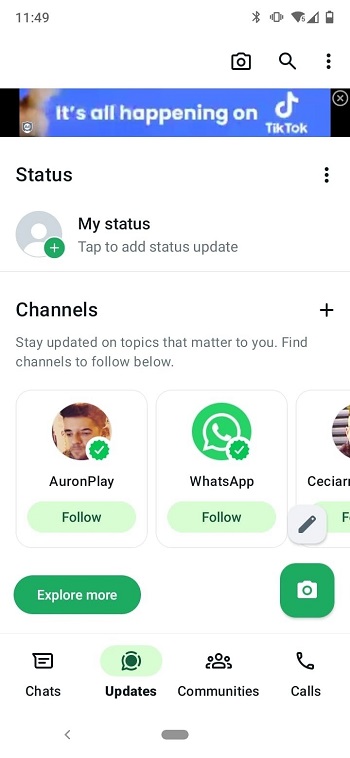
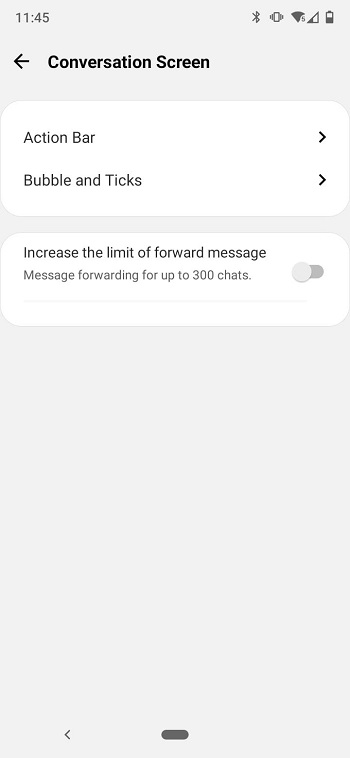
While WhatsApp Plus shares the same core structure as WhatsApp, it’s loaded with extra features users have been asking about forever. One of the biggest draws is the deep customization. You can switch up the entire look of your chat screen, from fonts and icons to backgrounds and even the style of your typing bar. If you’re someone who likes your apps to match your vibe — this one's built for you.
The privacy controls are also way more flexible here. You can freeze your last seen without losing the ability to see others'. You can read messages without triggering read receipts. You can even view deleted messages and statuses — stuff that just isn’t possible with the regular WhatsApp. There’s also a stealth mode for calls, and an in-app lock feature to keep people out of your conversations even if they get hold of your phone.
WhatsApp Plus is also ideal for people who constantly bump into limitations when sharing content. While official WhatsApp compresses everything and restricts how much you can send at once, this version removes most of those caps. Send full-res photos, long videos, and huge files — up to 700MB per video. That’s especially helpful if you use messaging for work, content sharing, or just don’t want your vacation pics looking like they were taken with a potato.
And yes, you can use multiple WhatsApp accounts on the same device. That’s not a glitch — it’s a feature. So if you’re managing both a personal and a business profile, or you just like separating your social circles, WhatsApp Plus makes switching between accounts feel easy and instant.
It’s not all upside, though. There are real trade-offs. Since it’s not official, it doesn’t come with the same kind of safety net. You might get temporarily banned by Meta, and the encryption isn’t guaranteed. Plus, updates have to be done manually, and you won’t find this version on trusted app stores. That said, if you’re comfortable with APKs and know how to back up your chats, most of those risks can be managed.
If you’re bored with the limitations of the official WhatsApp and want something that gives you more control, more style, and more freedom, WhatsApp Plus could be a solid fit. Just know what you're getting into, and make sure you download it from a source that doesn’t look shady.
FAQs WhatsApp Plus
What is WhatsApp Plus?
+
WhatsApp Plus is a modified messaging app based on the original WhatsApp, offering extra features like custom themes, privacy tweaks, and larger file sharing.
Is WhatsApp Plus safe to use?
+
It’s generally safe if downloaded from a trusted source, but since it’s unofficial, there are risks like potential bans and unclear data encryption.
Can I use WhatsApp and WhatsApp Plus on the same phone?
+
Not at the same time with the same number. You’ll need to uninstall one or use a dual app setup if your phone supports it.
How do I update WhatsApp Plus?
+
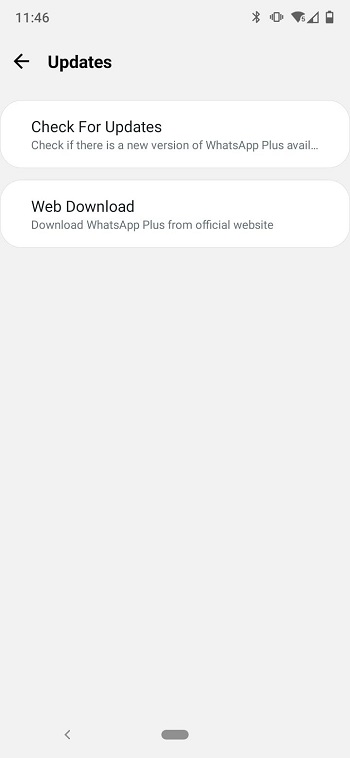
Updates need to be downloaded manually from a third-party source. The app doesn’t update automatically like the official version.
What’s different between WhatsApp Plus and the original WhatsApp?
+
WhatsApp Plus offers more control over privacy, custom appearance, and fewer limits on sending media, while the official app sticks to stricter rules.
Other Versions
| Version | Size | Requirements | Last Updated |
|---|---|---|---|
| Whatsapp Plus | 57 MB | Android 6.0+ | 20/10/2023 |
See more
Discover More Interesting Apps
-
 Mod
Mod
DaRemote
v5.15.2
34.75 Mb
Updated -
WhatsApp Business
v2.26.36.72
102.00 Mb
Updated -
Discord
v345.9 - Stable
177.99 Mb
Updated -
Brave Browser
v1.95.101
252.33 Mb
Updated -
CallApp
v2.288
60.25 Mb
Updated -
Azar
v7.12.1
136.47 Mb
Updated -
Brave Beta
v1.96.53
289.76 Mb
Updated -
Opera Browser
v101.6.5178.90208
221.09 Mb
Updated -
Messenger
v578.0.0.45.92
82.32 Mb
Updated -
Mod
Snapchat
v14.23.0.54
192.25 Mb
Updated










Share Your Thoughts